AI rules for an assignment: set them, follow them, see them
A teacher sets one AI rule and sends one link. A student works, sees exactly what will be shared, and turns it in. The teacher reads the paper and every AI conversation behind it, word for word.
- Scene 1
The idea in one minute
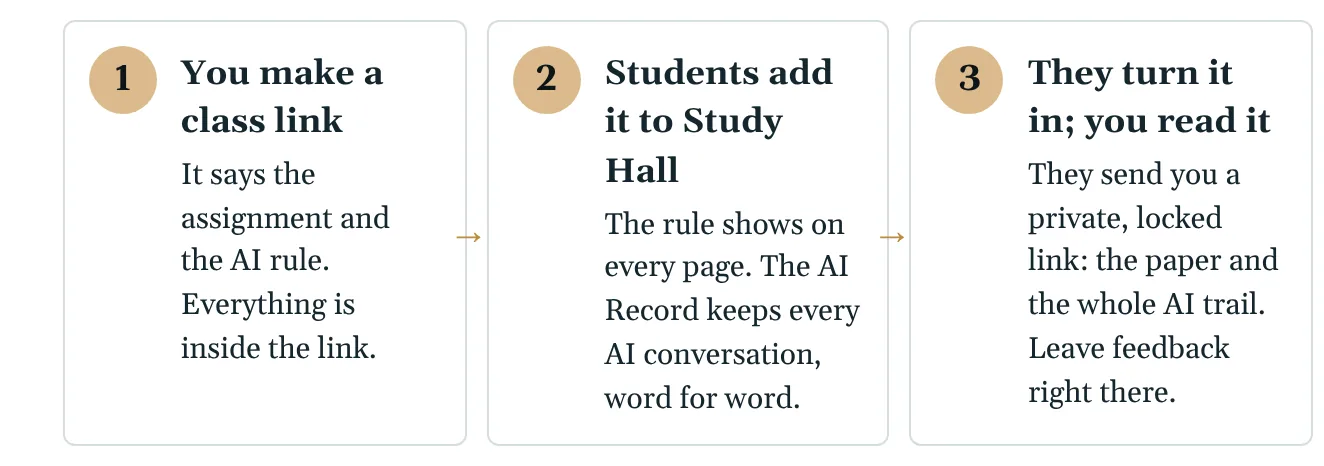
A teacher sets one AI rule for an assignment and sends students one link. Students work in Study Hall, where the AI Record keeps every AI conversation word for word. When they press Turn in, the teacher reads the paper and the whole AI trail behind it.
No school account is needed, and nothing is shared until the student presses Turn in.
SayTeachers want to know how students use AI. Students want to know what their teacher will see. TheoreticalPhysics.ai answers both, in three steps.
- Scene 2
Teacher: pick the AI rule
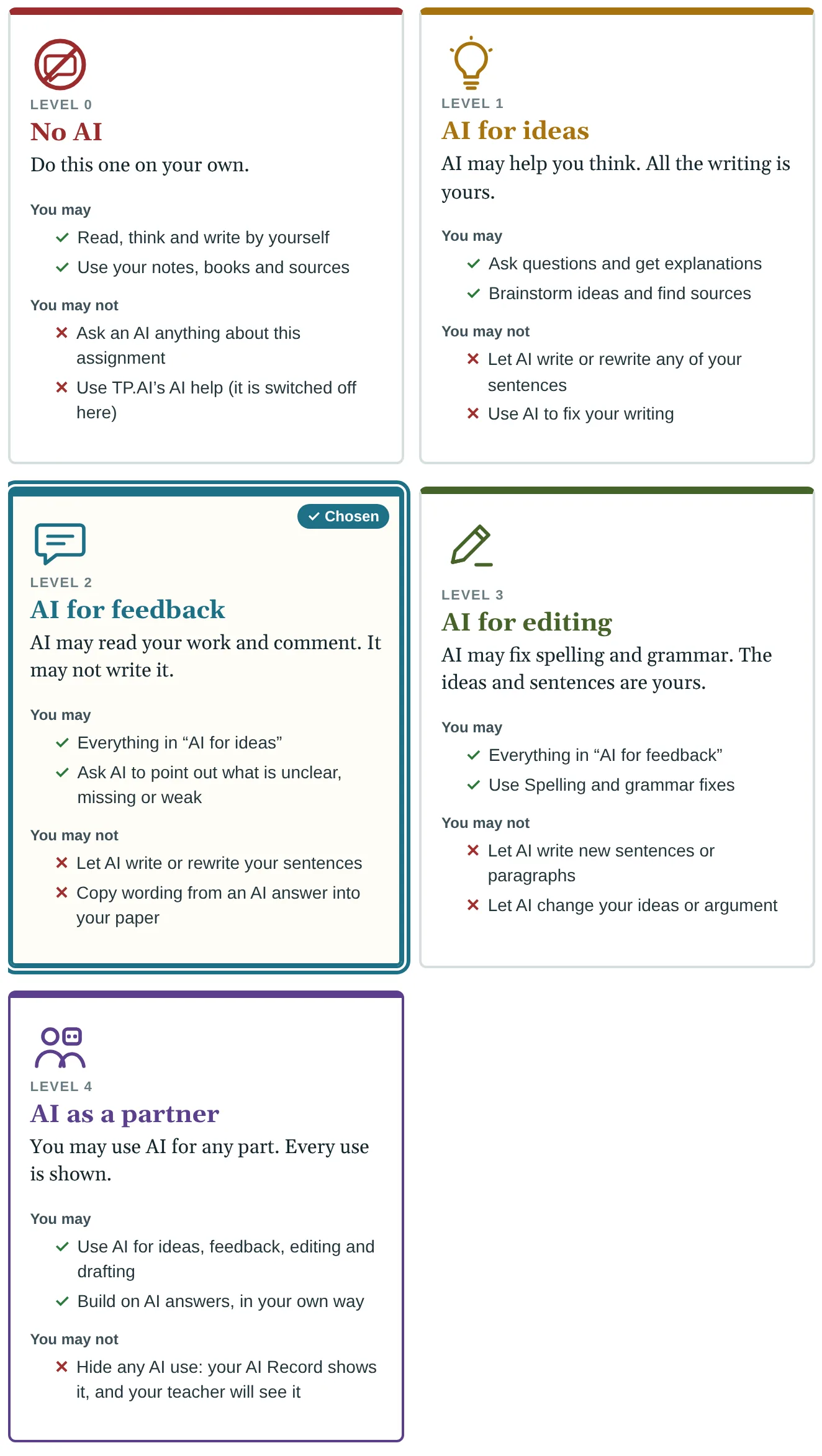
Open Class link (also on Collaboration & Permissions, Share, and the TP wheel under Preferences). Fill in your name, the class and the assignment. Then pick one of five rules. Each card says plainly what students may and may not do:
- No AI. Do this one on your own.
- AI for ideas. AI may help you think. All the writing is yours.
- AI for feedback. AI may comment on your work. It may not write it.
- AI for editing. AI may fix spelling and grammar.
- AI as a partner. Use AI for any part. Every use is shown.
Three tick boxes add: students must cite AI use; students write a short reflection; and, only if you tick it, you also see their Notes.
SayFive rules, from No AI to AI as a partner. Pick the one that fits the assignment. Every card says, in plain words, what is allowed and what is not.
- Scene 3
Teacher: send one link
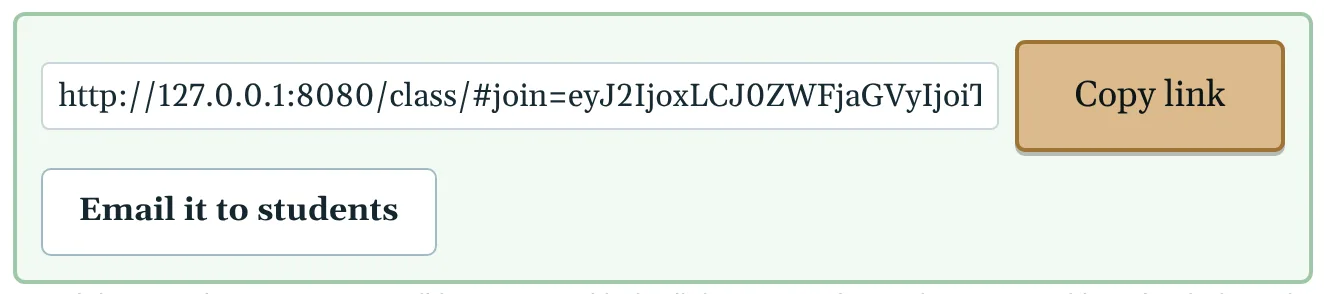
Press Make the class link. Copy it, or email it to students, or post it on your class page. Everything about the assignment is inside the link itself; TheoreticalPhysics.ai does not keep it.
SayPress Make the class link, and send it. That is all the setting up there is.
- Scene 4
Student: open the link
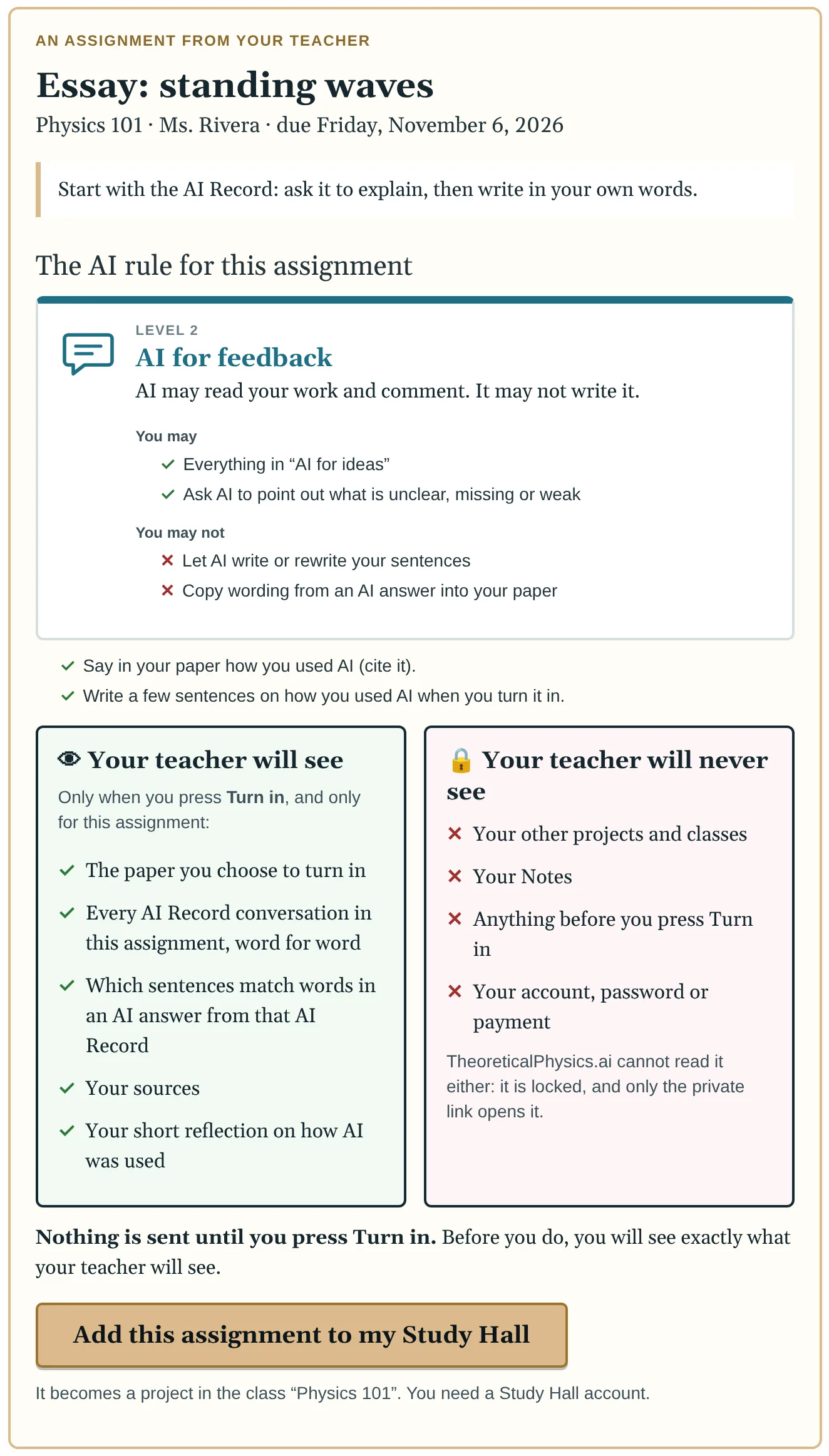
The student sees the assignment, the rule, and two boxes:
- Your teacher will see: only when you press Turn in, and only for this assignment.
- Your teacher will never see: your other projects and classes, your Notes (unless asked), anything before Turn in, your account.
Add this assignment to my Study Hall makes it a project in that class. Opening the link again opens the same project.
SayStudents see the rule, and exactly what their teacher will and will never see. Nothing is shared until they press Turn in.
- Scene 5
Student: the rule is always in view
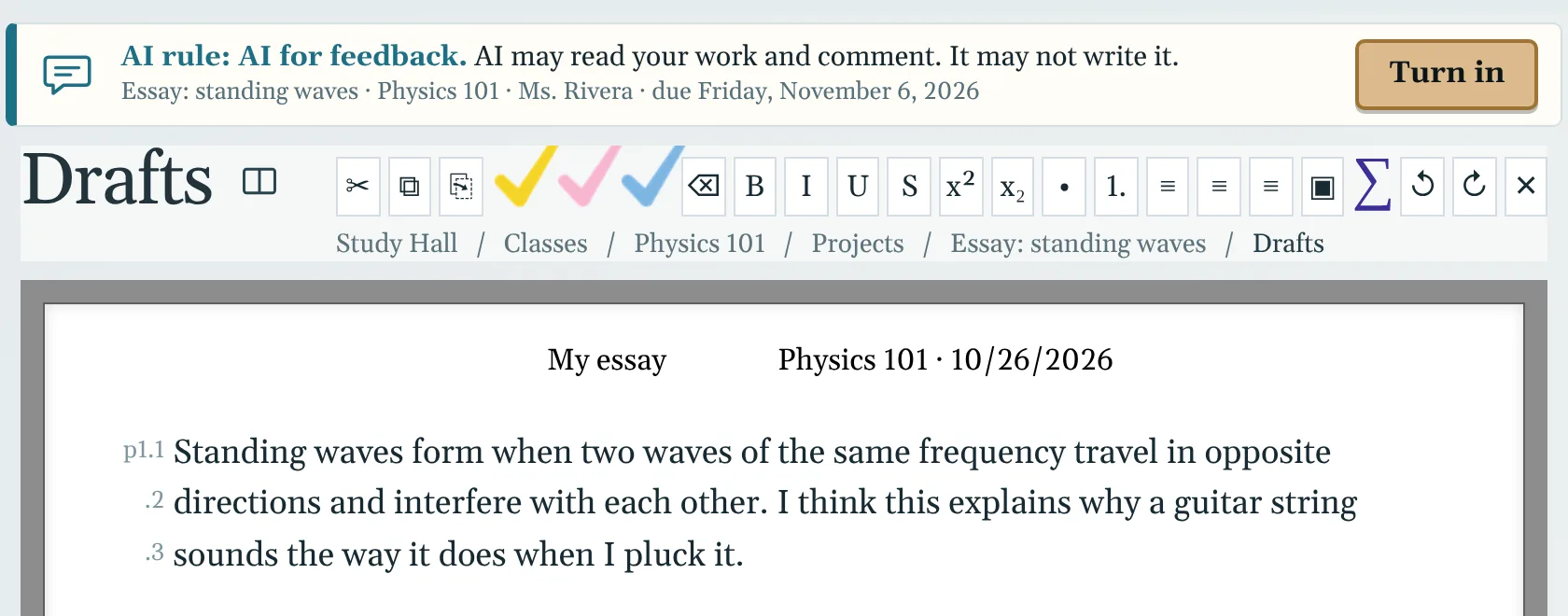
A slim bar at the top of every page of the assignment shows the rule and a Turn in button. TheoreticalPhysics.ai's own AI help follows the rule: for example, Spelling is switched off unless the rule is AI for editing or AI as a partner.
Work as usual: ask your AI in the AI Record, take notes, keep sources, write your draft.
SayWhile you work, the rule stays at the top of every page. And the AI Record keeps every AI conversation, word for word.
- Scene 6
Student: turn it in
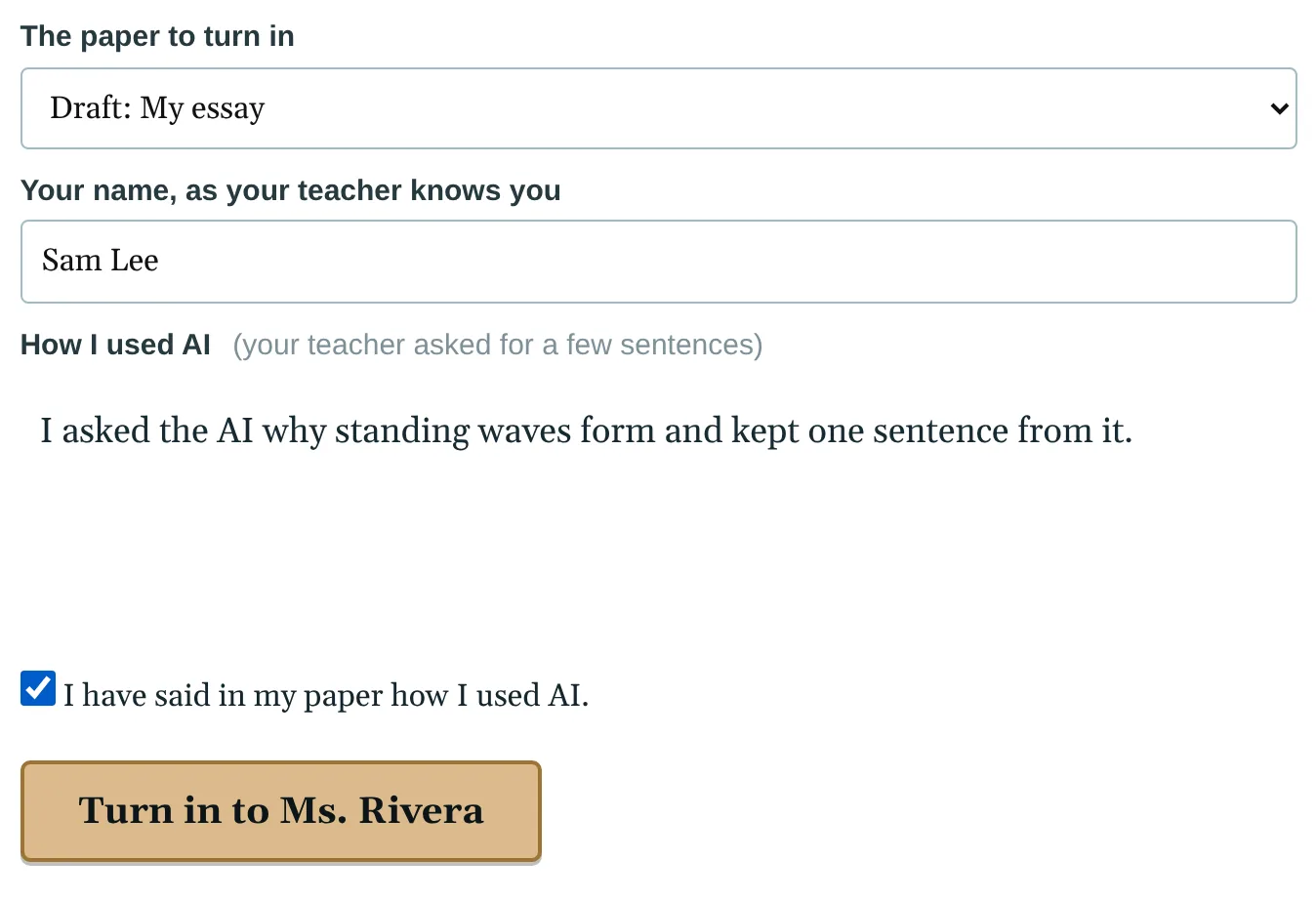
Press Turn in. Choose the paper, check your name, and write the short reflection if your teacher asked: what you asked the AI, what you kept, what you changed.
SayWhen you are ready, press Turn in. Choose your paper, and say in a few sentences how you used AI.
- Scene 7
Student: see exactly what your teacher will see
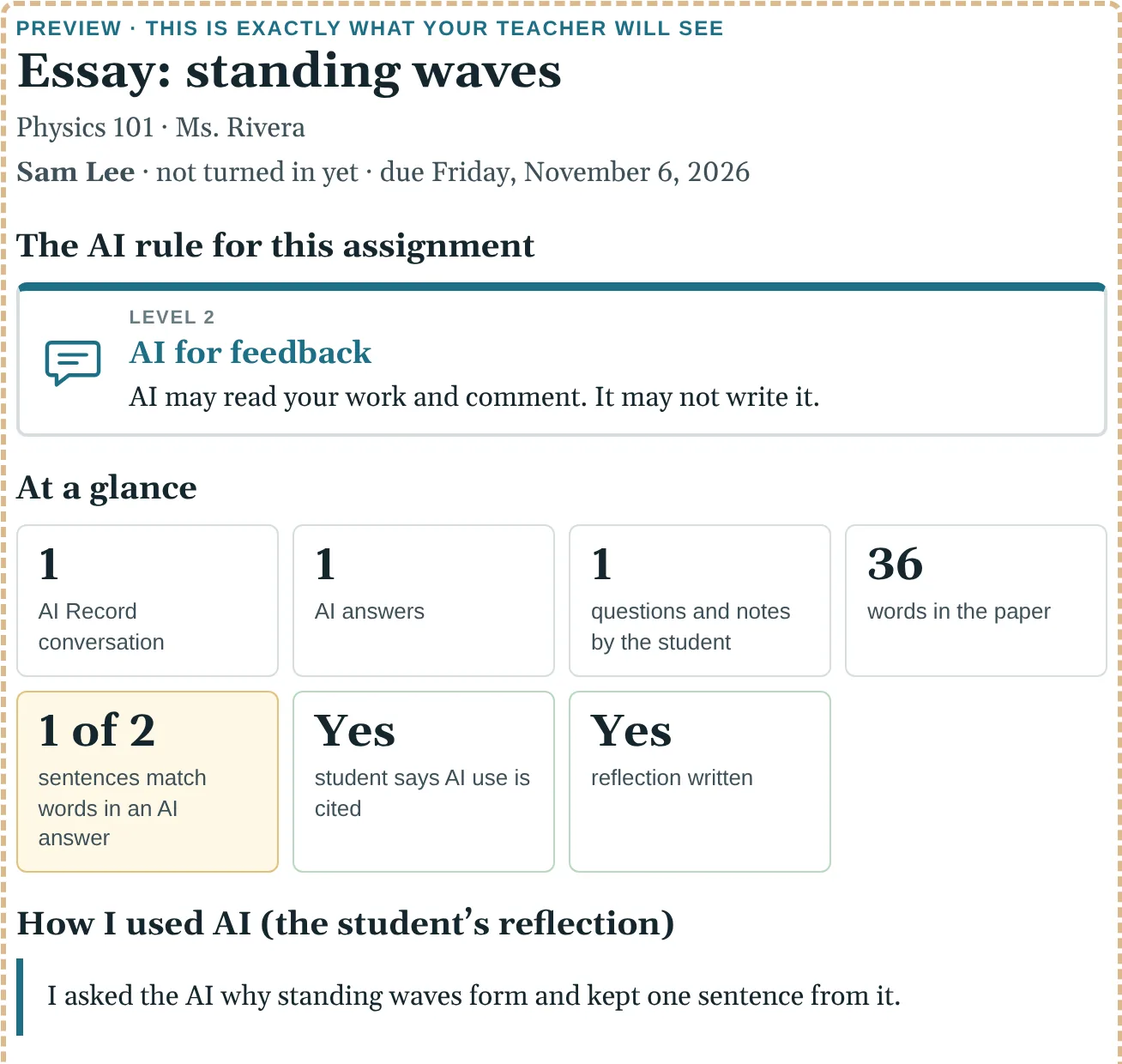
Below the form is the report exactly as your teacher will see it, before anything leaves your computer. Nothing else is sent.
SayBefore anything is sent, you see exactly what your teacher will see. No surprises.
- Scene 8
Student: send the link
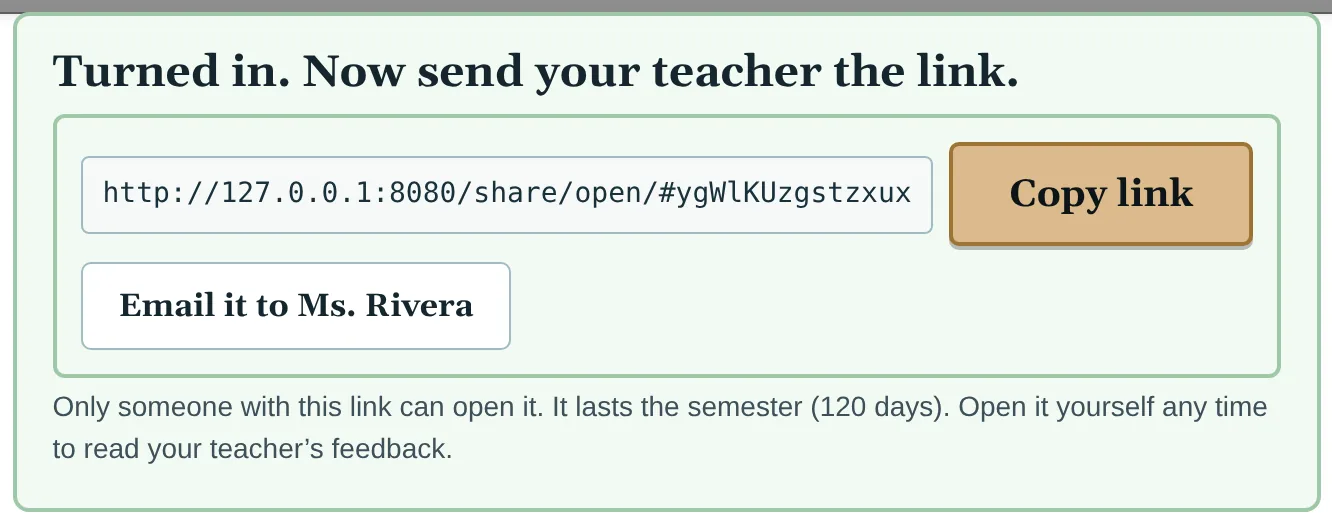
Turning in locks your work in your browser and gives you a private link. Copy it, or press Email it to your teacher. Only someone with the link can open it; it lasts the semester (120 days). TheoreticalPhysics.ai cannot read it.
SayYou get a private, locked link. Send it to your teacher. Only the link opens it, not even TheoreticalPhysics.ai can read it.
- Scene 9
Teacher: the report at a glance
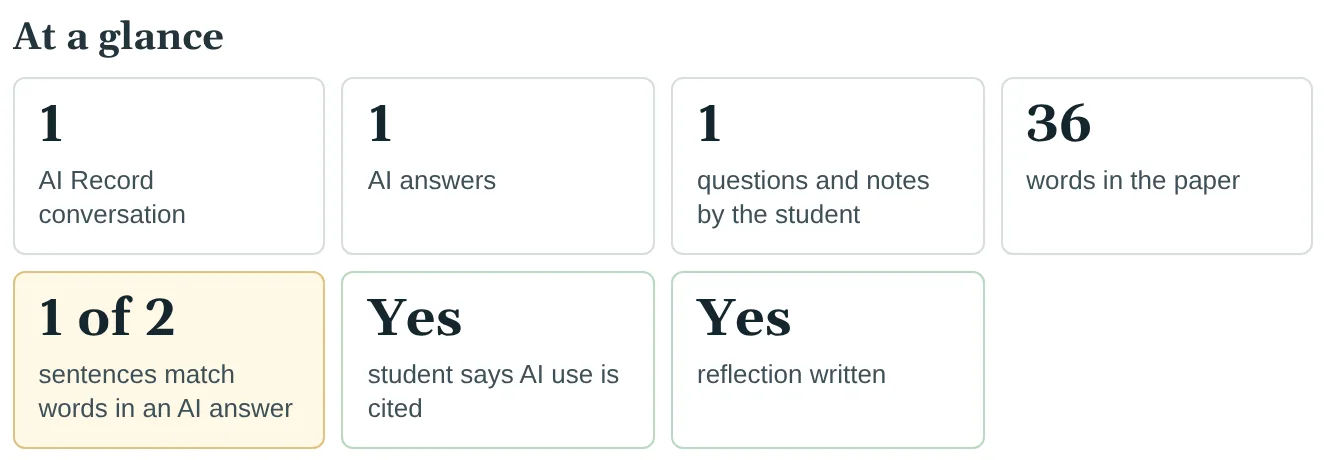
The teacher opens the link (no account needed) and sees the rule and the numbers: AI Record conversations, AI answers, the student's own questions, words in the paper, sentences that match an AI answer, and whether AI use is cited and a reflection written.
SayThe teacher opens the link. First, the rule, and the whole story in numbers.
- Scene 10
Teacher: the paper, with AI matches marked
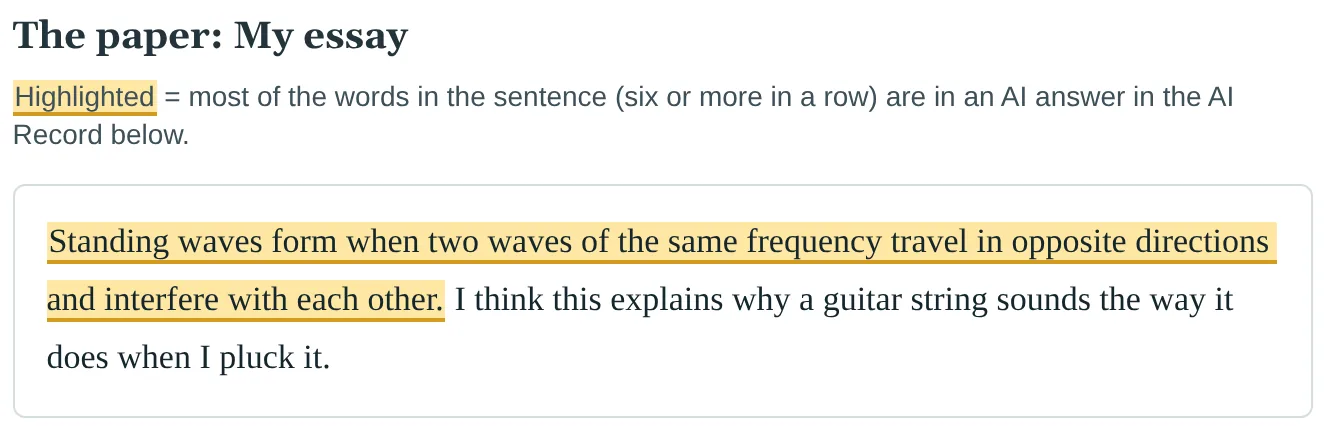
Every sentence that shares six or more words in a row with an AI answer is highlighted. It is a fact to talk about, not proof of cheating, and at AI as a partner it is allowed.
SaySentences that came from an AI answer are highlighted. Not an accusation: a starting point for a conversation.
- Scene 11
Teacher: the whole AI trail, word for word
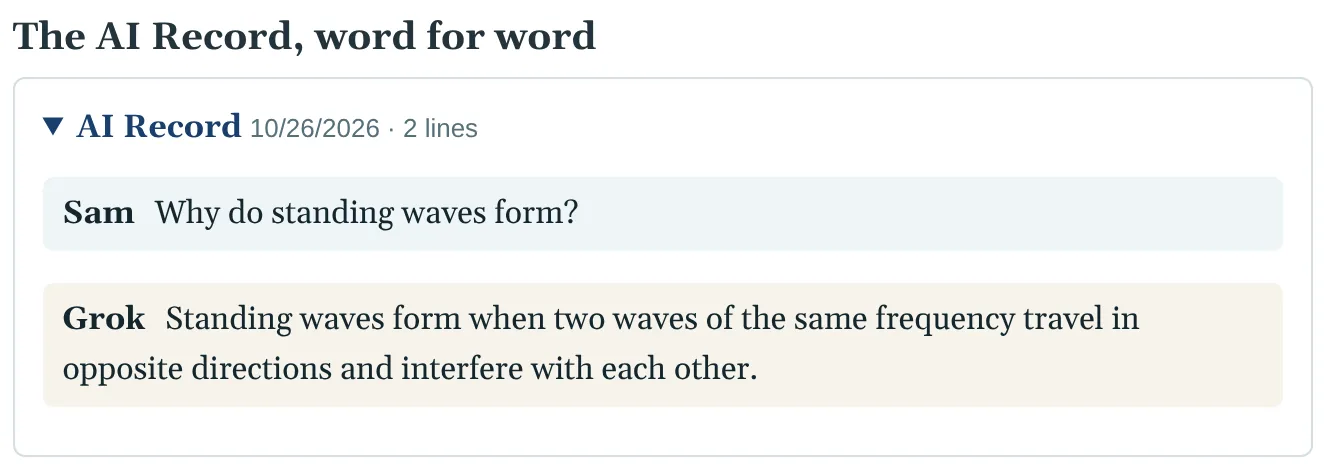
Then the AI Record, word for word, never summarized: what the student asked, and what the AI answered. Then the sources and the reflection.
SayAnd the whole AI trail, word for word. Not a score. Not a guess. What actually happened.
- Scene 12
Teacher: feedback the student reads
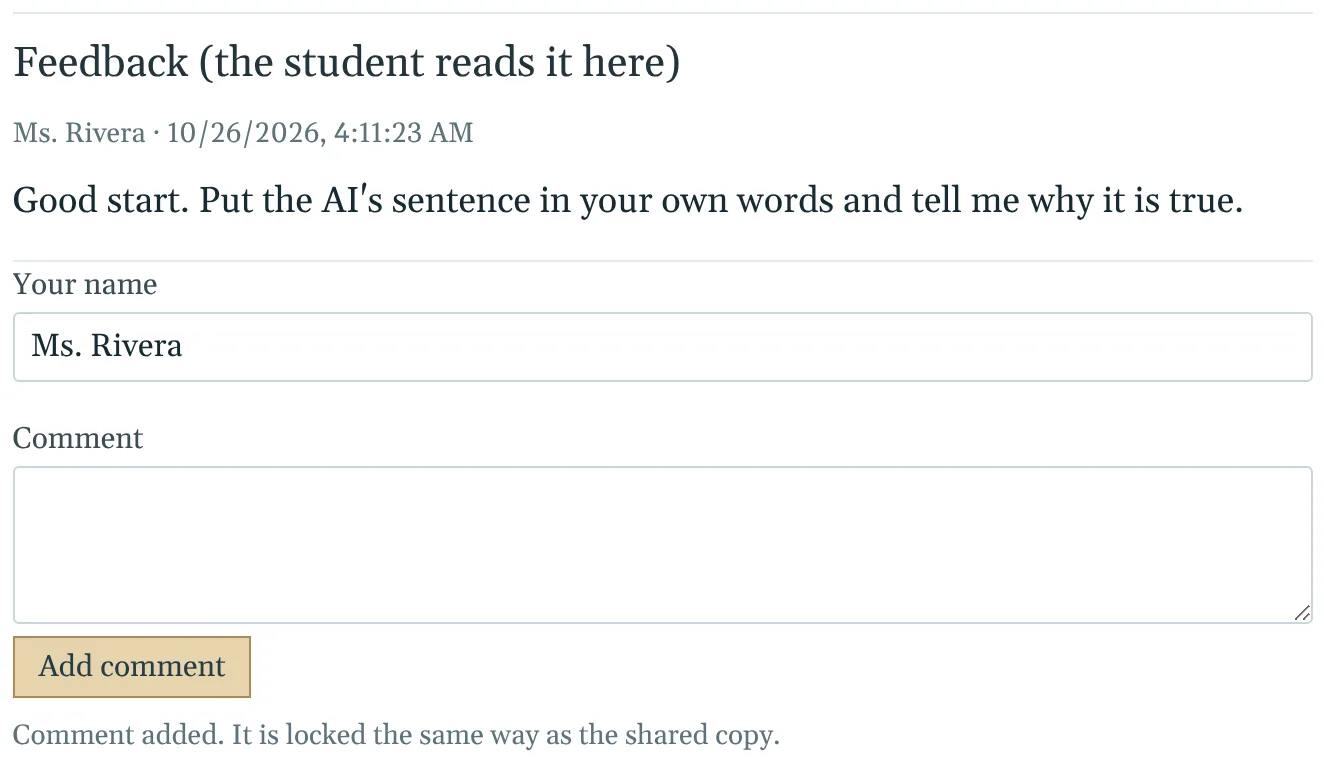
Leave Feedback at the bottom. The student opens the same link to read it. Feedback is locked the same way as the work.
SayLeave feedback right there. The student reads it at the same link. That is TheoreticalPhysics.ai: AI in the open, for teachers and students.
For the video
One scene per shot, about 15 seconds each. Show the picture, say the line.
| Scene | Show | Say |
|---|---|---|
| 1 | The idea in one minute | Teachers want to know how students use AI. Students want to know what their teacher will see. TheoreticalPhysics.ai answers both, in three steps. |
| 2 | Teacher: pick the AI rule | Five rules, from No AI to AI as a partner. Pick the one that fits the assignment. Every card says, in plain words, what is allowed and what is not. |
| 3 | Teacher: send one link | Press Make the class link, and send it. That is all the setting up there is. |
| 4 | Student: open the link | Students see the rule, and exactly what their teacher will and will never see. Nothing is shared until they press Turn in. |
| 5 | Student: the rule is always in view | While you work, the rule stays at the top of every page. And the AI Record keeps every AI conversation, word for word. |
| 6 | Student: turn it in | When you are ready, press Turn in. Choose your paper, and say in a few sentences how you used AI. |
| 7 | Student: see exactly what your teacher will see | Before anything is sent, you see exactly what your teacher will see. No surprises. |
| 8 | Student: send the link | You get a private, locked link. Send it to your teacher. Only the link opens it, not even TheoreticalPhysics.ai can read it. |
| 9 | Teacher: the report at a glance | The teacher opens the link. First, the rule, and the whole story in numbers. |
| 10 | Teacher: the paper, with AI matches marked | Sentences that came from an AI answer are highlighted. Not an accusation: a starting point for a conversation. |
| 11 | Teacher: the whole AI trail, word for word | And the whole AI trail, word for word. Not a score. Not a guess. What actually happened. |
| 12 | Teacher: feedback the student reads | Leave feedback right there. The student reads it at the same link. That is TheoreticalPhysics.ai: AI in the open, for teachers and students. |
